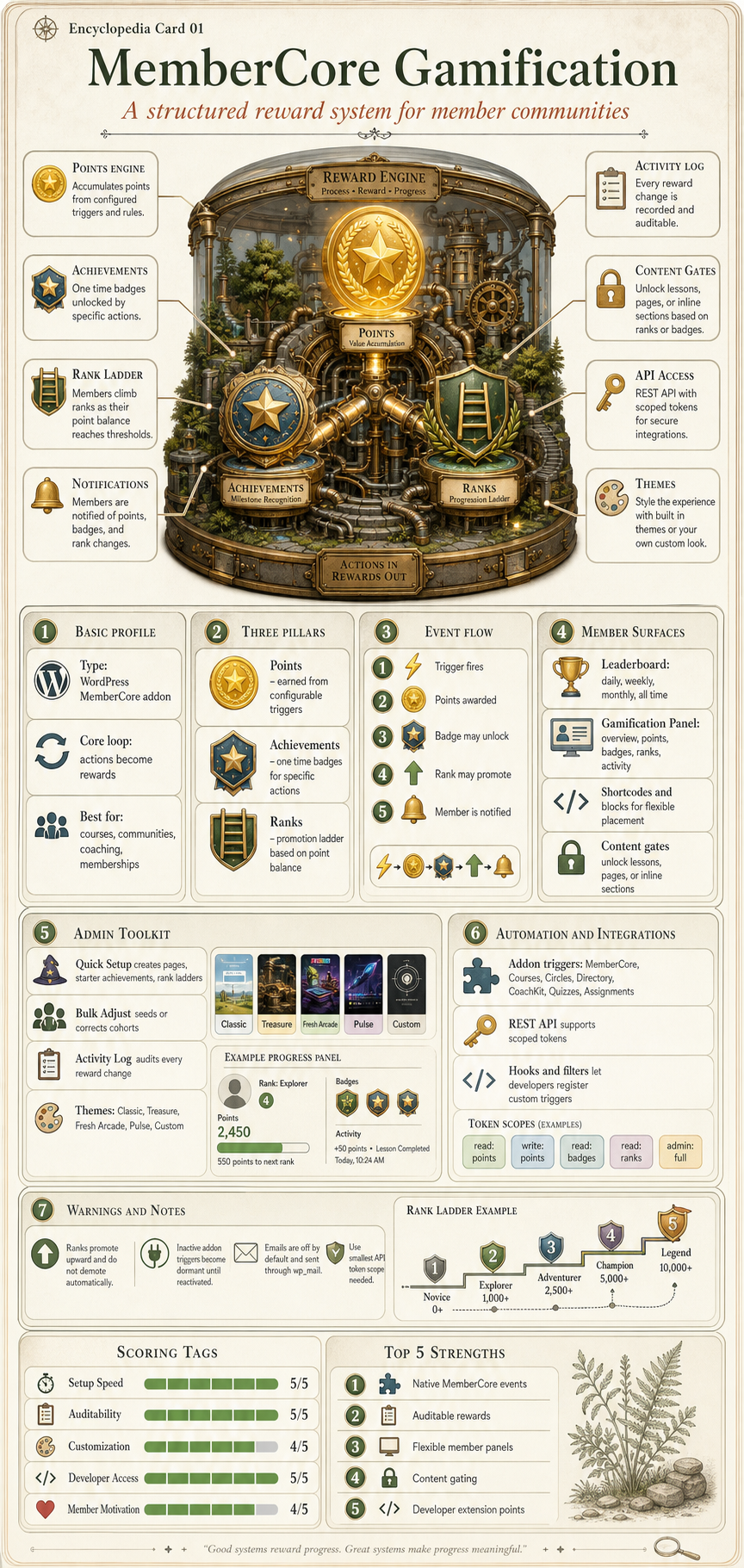
Every REST endpoint, action, and filter the plugin ships, on one page. Examples are live against Gamification Plugin Showcase, so the URLs and IDs match what you're integrating with.
Authentication
Every request needs a Bearer token. You can create API Bearer Tokens on the API tab of the Gamification settings page; the full value only shows up once at generation time, so copy it right then.
Tokens go in the Authorization header. We don't accept them in the query string; that's a tripwire for leaking credentials into server access logs.
Award points. Routes through PointsEngine like an internal call, so the trigger's rate limit and any disabled-trigger checks still apply. The API isn't a back door around them.
422 mcgf_api_insufficient_balance: Balance too low.
POST/users/{id}/points/adjust
Required scope: points:write
Signed manual adjustment with a reason field. Positive or negative, no rate limit. The transaction is stored as admin_id=0 with the calling token's label prepended to the description, so the audit log can tell API edits apart from human ones.
Parameters
Name
In
Type
Description
id
path
integer
WordPress user ID.
amount
body
integer
Non-zero integer (positive or negative).
reason
body
string
Human-readable reason.
Example request
curl -X POST 'https://wlm-ronald.apps.cspf.co/wp-json/mcgf/v1/users/42/points/adjust' \
-H 'Authorization: Bearer mcgf_8a3f2b1c...' \
-H 'Content-Type: application/json' \
-d '{"amount":-25,"reason":"Refund for failed delivery"}'
404 mcgf_api_not_found: Rank not published or does not exist.
GET/users/{id}/rank
Required scope: ranks:read
Where this user stands on the ladder: current rank, next rank, and how many points are still in their way. points_to_next is 0 once they're at the top.
Top scorers for a given timeframe. Cached for 5 minutes per (tab, limit) pair, so a busy site doesn't hammer the DB. Users who opted out of leaderboards are excluded automatically.
Errors come back in the standard WP REST envelope, with our own `code` slugs so you can branch on what actually went wrong rather than parsing English:
Resource (achievement, rank) not found or unpublished.
422
mcgf_api_invalid_param
Validation failed; data.params lists fields.
422
mcgf_api_rate_limited
Award rejected by the trigger's rate limit.
422
mcgf_api_insufficient_balance
Deduction would push the balance below zero.
500
mcgf_api_internal
Unhandled server error.
Action Hooks
Every hook fires after the underlying operation is committed: by the time your callback runs, the database already reflects the change. The trailing $silent argument on a few of these hooks marks an admin bulk operation that opted out of user-facing side effects (Bulk Adjust with the Send notifications toggle off, for example). If your listener sends email or surfaces a notification, bail when $silent is true. If it just keeps internal counters, ignore the flag.
actionmcgf_points_awarded
Fires whenever a user earns points. Automatic trigger awards and positive manual adjustments both count.
Parameters
#
Type
Name
Description
1
int
$user_id
WordPress user ID who received the points.
2
int
$amount
Number of points awarded (positive).
3
string
$trigger_type
Trigger key (e.g. lesson_completed).
4
int
$trigger_id
Related object ID (e.g. lesson post ID, or 0).
5
bool
$silent
True when the event opted out of user-facing side effects.
Example
add_action('mcgf_points_awarded', function ($user_id, $amount, $trigger_type, $trigger_id, $silent = false) {
if ($silent) return;
error_log(sprintf('User %d earned %d points via %s', $user_id, $amount, $trigger_type));
}, 10, 5);
Fires when a user unlocks an achievement. This same hook drives meta-achievements: if you have a Collector-style badge whose requirement is achievement_unlocked, this is what re-evaluates it.
Parameters
#
Type
Name
Description
1
int
$user_id
WordPress user ID who earned the achievement.
2
int
$achievement_id
Achievement CPT post ID.
3
string
$trigger_type
The trigger that caused the award.
4
int
$trigger_id
Related object ID.
5
bool
$silent
True when the event opted out of user-facing side effects.
Fires when a user moves up a rank. Ranks are one-way: even if a refund drops a user's balance back under the threshold, we never demote them.
Parameters
#
Type
Name
Description
1
int
$user_id
WordPress user ID who was promoted.
2
int
$new_rank_id
New rank CPT post ID.
3
int
$old_rank_id
Previous rank CPT post ID (0 if this is the first).
4
bool
$silent
True when the event opted out of user-facing side effects.
Example
add_action('mcgf_rank_promoted', function ($user_id, $new_rank_id, $old_rank_id, $silent = false) {
if ($silent) return;
$new_title = get_the_title($new_rank_id);
error_log(sprintf('User %d promoted to rank: %s', $user_id, $new_title));
}, 10, 4);
Fired from:RankEngine::promote().
actionmcgf_activated
Fires from the plugin activation hook, after the database schema is upgraded and the Quick Setup pending flag is written. Integrations hook this to run activation-order safety nets, e.g. injecting default content into a partner plugin that activated before this one. Listeners must be idempotent; WordPress can run the activation hook more than once over a site's lifetime.
Fires once on init, right after the plugin's built-in triggers are registered. Hook this to add your own trigger so it appears in the admin Triggers tab alongside ours.
Example
add_action('mcgf_register_triggers', function () {
\membercore\gamification\helpers\TriggerRegistry::register(
'webinar_attended', // Unique trigger key.
'Webinar Attended', // Human-readable label for admin UI.
'my-webinar-plugin', // Addon group name (used for collapsible sections).
15, // Default point value.
'Awarded each time a member attends a live webinar.' // Optional tooltip description (5th arg).
);
});
The fifth $description argument is optional. Pass plain language and the Triggers admin tab renders a dashicons-info tooltip beside the label, so the admin doesn't have to leave the page to remember what your trigger does. Skip it (or pass an empty string) and the tooltip is suppressed.
Then, when the user does the thing, fire the trigger from your plugin:
points_override is the per-call escape hatch. We use it internally for the per-membership signup-points feature: the admin sets an override on one specific membership, everything else stays on the global trigger config. Pass a non-negative integer and that exact amount is awarded; pass anything else (or omit it entirely) and the trigger config wins.
actionmcgf_panel_render_section_<slug>
A dynamic action (the section slug is appended to the hook name) that fires inside every panel tab body. Hook one specific slug and your output lands inside that tab; we append it after the built-in HTML for that slug, so you can either render a brand-new tab or staple a few extra lines onto an existing one. Adding a tab is the common case.
The same panel renders on three surfaces: the frontend account page (account), the [mcgf_gamification] shortcode (shortcode), and the WP user-edit screen (user-profile). If your callback only belongs on one of them, branch on $args['surface'] up front.
Parameters
#
Type
Name
Description
1
int
$user_id
The user being rendered for.
2
array
$args
Render args, including surface, panel_id, etc.
Example: render a tab body
add_action('mcgf_panel_render_section_my_extension', function ($user_id, $args) {
if (($args['surface'] ?? '') !== 'user-profile') {
return;
}
echo '<div class="my-extension-panel">';
echo '<h3>Custom data for user ' . (int) $user_id . '</h3>';
// ...
echo '</div>';
}, 10, 2);
Fired from:GamificationPanel::render_section() once per section rendered.
Filter Hooks
filtermcgf_panel_tabs
Controls the tab list on the GamificationPanel. Add a custom tab, hide one of ours, or reorder the lot.
Return an associative array of slug => label pairs in the order you want them rendered. The built-in slugs are overview, points, achievements, ranks, and activity. For any custom slug you introduce, pair this filter with a mcgf_panel_render_section_<slug> action that renders the body. otherwise the tab clicks through to an empty pane.
Parameters
#
Type
Name
Description
1
array
$tabs
Map of slug => translated label. Built-in tabs are present in canonical order.
2
string
$surface
Surface this panel is rendered on. One of account, shortcode, user-profile.
3
array
$args
Full render args, including panel_id, tabs_whitelist, tab_strategy, etc.
Example: add a "Quests" tab on the account page only
Example: hide a built-in tab on the shortcode surface
add_filter('mcgf_panel_tabs', function ($tabs, $surface) {
if ($surface === 'shortcode') {
unset($tabs['ranks']);
}
return $tabs;
}, 10, 2);
Note on ordering: a new entry lands at the end by default. To slot it between two built-ins, splice it in or just rebuild the array in your callback. PHP keeps associative arrays in insertion order, so whatever shape you return is what renders.
Fired from:GamificationPanel::resolved_tabs() once per panel render, before any section markup is produced.
filtermcgf_admin_header_support_url
Changes the Support link in the Gamification settings header. Default points at the MemberPress support page. Return an empty string and the button is hidden entirely. handy when your tier of support doesn't need to surface a separate link.
Parameters
#
Type
Name
Description
1
string
$support_url
Current Support URL.
Example
add_filter('mcgf_admin_header_support_url', function ($url) {
return 'https://help.example.com/contact';
});
Fired from:SettingsCtrl::render_settings_page().
filtermcgf_rules_engines
Lets you reorder, add to, or replace the rules-engine pipeline. The default order is points then achievements then ranks; reorder when an addon needs to inject custom logic between two of those steps, or drop a step entirely if your integration replaces it.
Each pipeline entry is an associative array with `name`, `callback`, and `priority` keys. The callback signature is function(int $user_id, string $event_name, array $data, array $config). Return the modified pipeline array; the engine sorts it by `priority` ascending before dispatch.
Parameters
#
Type
Name
Description
1
array
$pipeline
Registered engine steps. Keys are step names; values carry callback and priority.
Example: insert a logging step before the ranks engine
add_filter('mcgf_rules_engines', function ($pipeline) {
$pipeline['audit'] = [
'name' => 'audit',
'callback' => function ($user_id, $event, $data, $config) {
error_log(sprintf('[mcgf] %s for user %d', $event, $user_id));
},
'priority' => 25, // points=10, achievements=20, ranks=30
];
return $pipeline;
});
Fired from:RulesEngine::getEngines() every time a trigger is dispatched.
Public API
When a hook isn't enough and you want to talk to the engines directly, these are the static helpers you reach for: point arithmetic, achievement progress, rank evaluation. Everything below is safe to call from your own code; they're the same methods the plugin uses internally.
Process a trigger event (awards points, evaluates achievements and ranks).
Built-in Trigger Keys
Every trigger we ship out of the box, grouped by addon with the default point value beside it. Override any of these on the Triggers admin tab; the defaults are what we landed on after watching real activity logs from beta sites, but they're only starting points.
Trigger Key
Label
Addon
Default Points
login
User Login
core
1
member_signup
Signup Completed
core
0
transaction_completed
Transaction Completed
core
100
recurring_transaction
Recurring Transaction
core
100
renewal_transaction
Renewal Transaction
core
100
subscription_paused
Subscription Paused
core
0
subscription_stopped
Subscription Stopped
core
0
achievement_unlocked
Achievement Unlocked
core
0
lesson_completed
Lesson Completed
courses
10
course_started
Course Started
courses
0
course_completed
Course Completed
courses
50
section_completed
Section Completed
courses
5
circle_joined
Joined a Circle
circles
5
circle_post_created
Circle Post Created
circles
5
circle_comment_created
Circle Comment
circles
2
circle_reply_created
Circle Reply
circles
2
circle_reaction_given
Circle Reaction
circles
1
coaching_enrolled
CoachKit Enrollment
coachkit
0
milestone_completed
Milestone Completed
coachkit
20
habit_completed
Habit Check-in
coachkit
5
coaching_message_sent
Coaching Message Sent
coachkit
1
attachment_downloaded
Attachment Downloaded
coachkit
0
message_sent
Message Sent
connect
1
directory_enrolled
Directory Enrollment
directory
0
profile_viewed
Profile Viewed
directory
0
quiz_completed
Quiz Completed
quizzes
25
assignment_submitted
Assignment Submitted
assignments
10
Shortcodes
Drop any of these shortcodes into a post, page, or block to surface gamification UI on the front end. Each one renders the current user's data and respects the active theme.
shortcode[mcgf_user_points]
Displays the current point balance for the logged-in user.
Attributes
Name
Type
Default
Description
label
boolean
true
Show the point type label next to the balance.
Example
[mcgf_user_points label="true"]
shortcode[mcgf_user_achievements]
Displays a grid of the logged-in user's earned achievements.
Attributes
Name
Type
Default
Description
count
number
10
Maximum number of achievements to display.
columns
number
3
Number of columns in the grid (1-6).
Example
[mcgf_user_achievements count="10" columns="3"]
shortcode[mcgf_user_rank]
Displays the current rank with an optional progress bar toward the next rank.
Attributes
Name
Type
Default
Description
show_progress
boolean
true
Show the progress bar toward the next rank.
Example
[mcgf_user_rank show_progress="true"]
shortcode[mcgf_points_history]
Displays a table of the logged-in user's recent point transactions.
Attributes
Name
Type
Default
Description
count
number
20
Maximum number of transactions to display.
Example
[mcgf_points_history count="20"]
shortcode[mcgf_achievement_list]
Displays all achievements: earned with dates, locked with progress. Hidden-mode badges show as mystery icons.
Attributes
Name
Type
Default
Description
show_locked
boolean
true
Show locked (unearned) achievements with progress indicators.
Example
[mcgf_achievement_list show_locked="true"]
shortcode[mcgf_leaderboard]
Displays a tabbed leaderboard with configurable timeframes, privacy, and styling.
Attributes
Name
Type
Default
Description
tabs
string
""
Comma-separated tab keys to show (daily, weekly, monthly, all_time). Empty uses global settings.
default_tab
string
""
Which tab is selected by default. Empty uses global settings.
count
number
0
Number of entries per tab. 0 uses global settings.
privacy
string
""
Privacy model override: "opt-in" or "opt-out". Empty uses global settings.
course_id
number
0
Filter to users enrolled in this course. 0 shows all users.
style
string
""
Display style: "classic_cards", "classic_podium", "classic_modern", "table", or "minimal". Empty uses global settings.
Enclosing shortcode. Wraps content that should only be visible to users who meet the specified gamification requirements. Users who do not qualify see a teaser with progress toward the requirement. When multiple requirements are set, all must be met (AND logic). Logged-out users never qualify.
Attributes
Name
Type
Default
Description
points
number
0
Minimum point balance required to view the content. 0 disables the points check.
achievement
number
0
Achievement post ID the user must have earned. 0 disables the achievement check.
rank
number
0
Rank post ID the user must hold (or a higher rank). 0 disables the rank check.