
Get Paypal API’s client ID and client secret
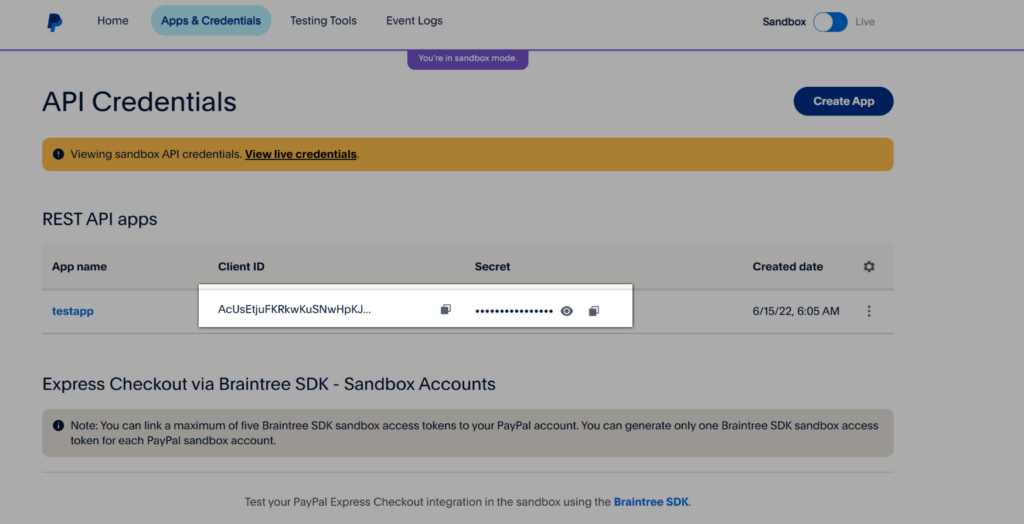
Here’s how to get your client ID and client secret:
- Go to Paypal Developer’s Dashboard and log in or sign up using your Paypal Account.
- Select Apps & Credentials.
- New accounts come with a Default Application in the REST API apps section. To create a new project, select Create App.
- Copy the client ID and client secret for your app.
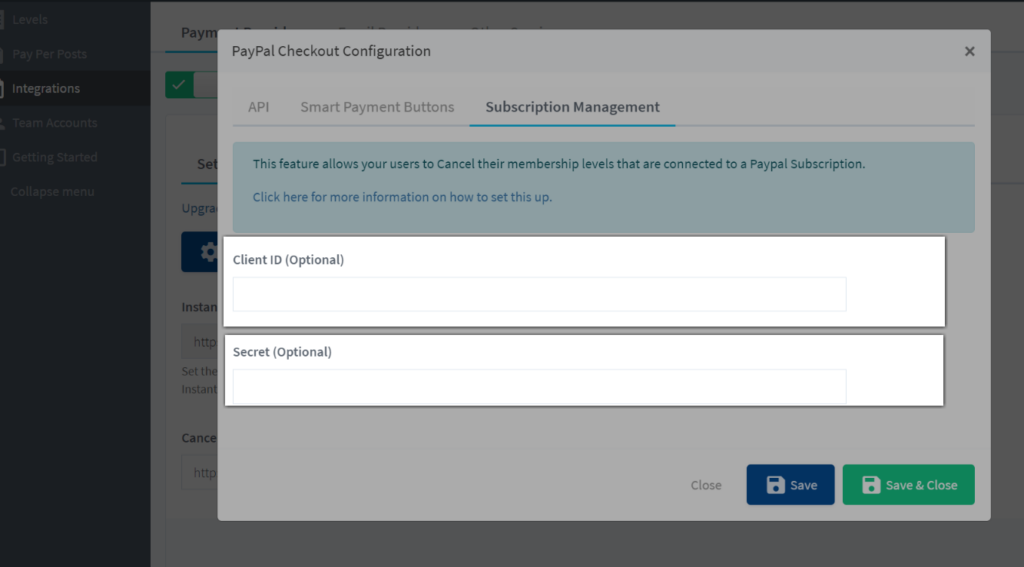
5. Head back to WishList Member and then paste and save it.
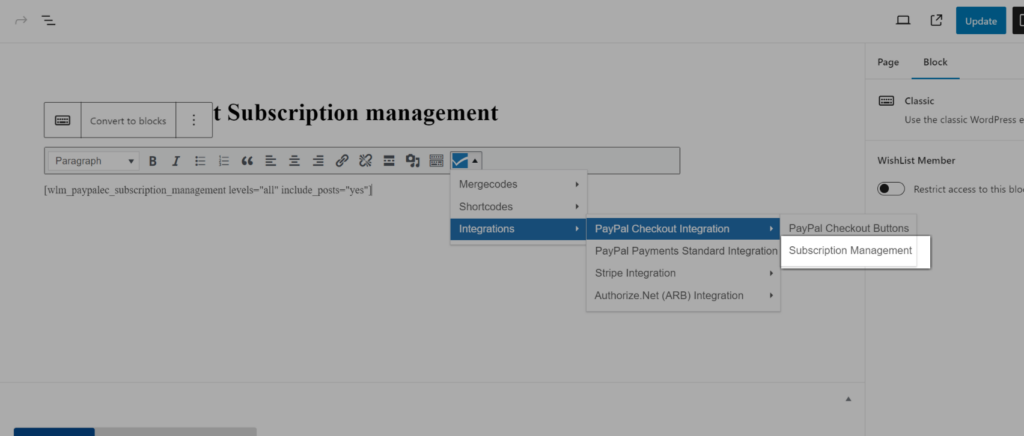
Generate the shortcode and paste on a content (post/page) on your site.
You can use the shortcode below
[wlm_paypalec_subscription_management levels=”all” include_posts=”yes”]
or generate a custom one using the WishList Member Shortcode Inserter.
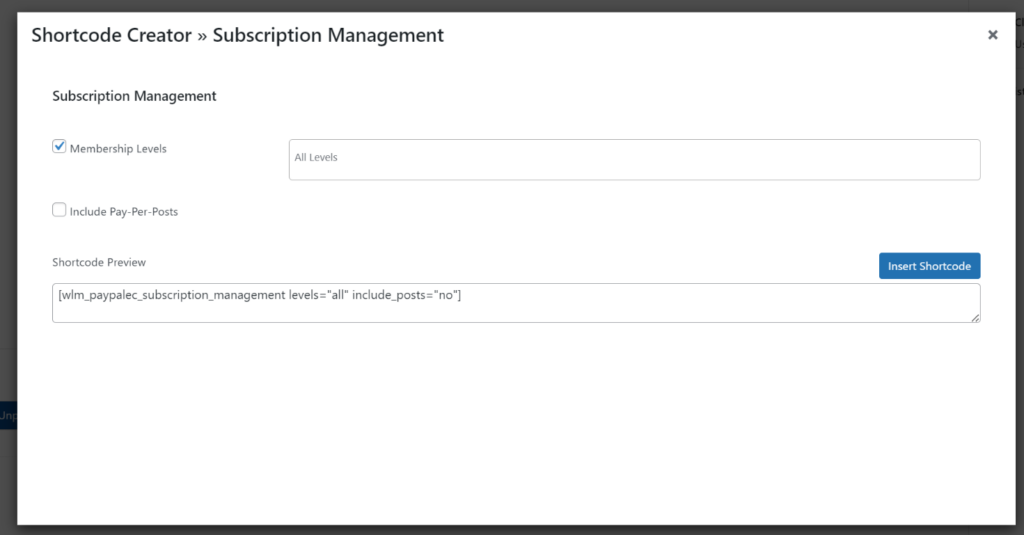
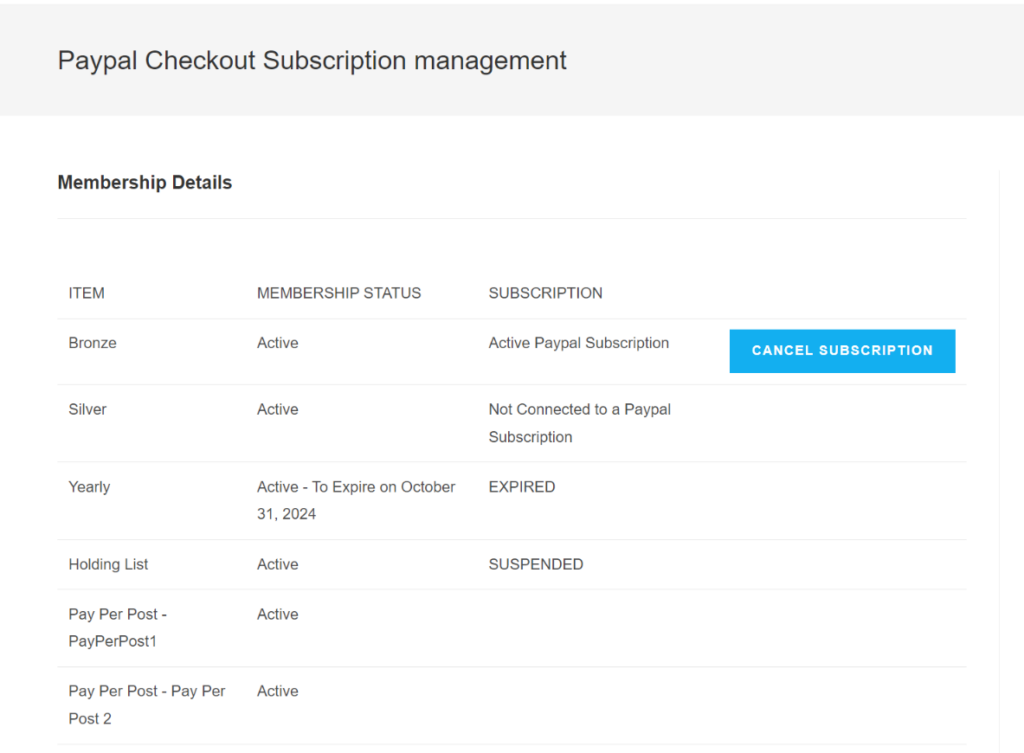
The Shortcode will then display the member’s membership level details and will display a “Cancel Subscription” button option if the membership level they have is connected to a Paypal Subscription.